
Connect CPC to a VGA display
I always wanted to connect my CPC to a VGA display, but haven’t found a good solution to do this. During the last weeks I searched through eBay (search for “CGA VGA converter”) and found a seller in Hong Kong (eBay name “chowhe_taiwan”), who sells a CGA to VGA converter for a very cheap price (I paid at that time around 27 EUR including shipment).
UPDATE: The seller does not exist anymore, but there are a lot of alternatives on other platforms. You can e.g. search on eBay for (“cga vga”) or order it from AliExpress (prices start at 13 EUR).
It also was advertised for arcade machines, so I thought that this device should work with a CPC, too.
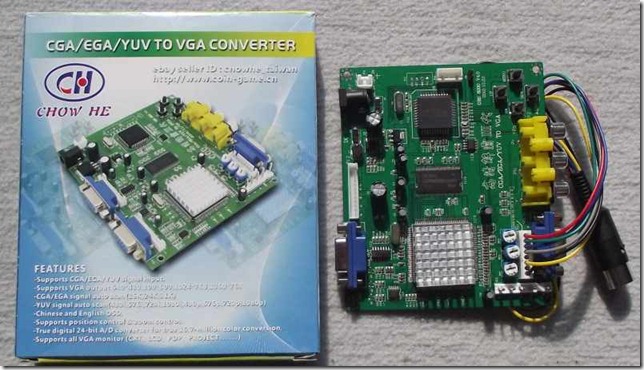
To sum it up, this are the features of the device:
- Supports CGA / EGA and YUV signal input
- Support the following VGA output resolutions: 640×480, 800×600, 1024×768, 1360×768
- CGA / EGA signal auto scan (15k, 24k, 31k)
- YUV signal auto scan (480i, 576i, 720i, 1080i, 480p, 576p, 720p, 1080p)
- Chinese and english on screen display (default is chinese, but you will find the menu to change the language easily)
- Position & zoom control
After two weeks the kit arrived and I had the time to have a look at it and it works really fine. It only has some problems with demos which intensively use hardware effects. Btw, the demo “Batman Forever” works fine with this converter (except the multi-colour picture :-(). I also tested some other demos which heavily used hardware effects and it seems that the converter works very good with them. Most of them work without any flaws.
To connect the device you have several options: you will find a connector on the left bottom side to directly connect the RGBS signal from the CPC to the converter, but I used the cable which was delivered with the device which is connected to the connector over the CGA 15pin SUB-D connector. The connection is really simple, but it depends on your CPC model of course.
This is the pinout of the connector cable:
| Cable color | Function |
| Red | Red analogue signal |
| Green | Green analogue signal |
| Blue | Blue analogue signal |
| Grey | Sync / RGB switching control |
| Yellow | VSync (don’t connect this) |
| Black | GND / Common |
Connection to the Amstrad CPC (464, 664, 6128):
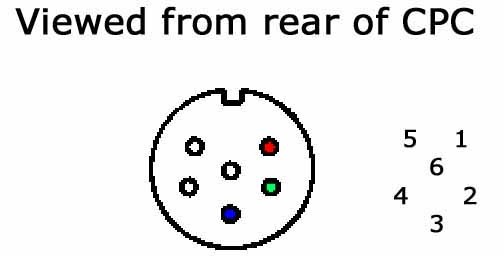
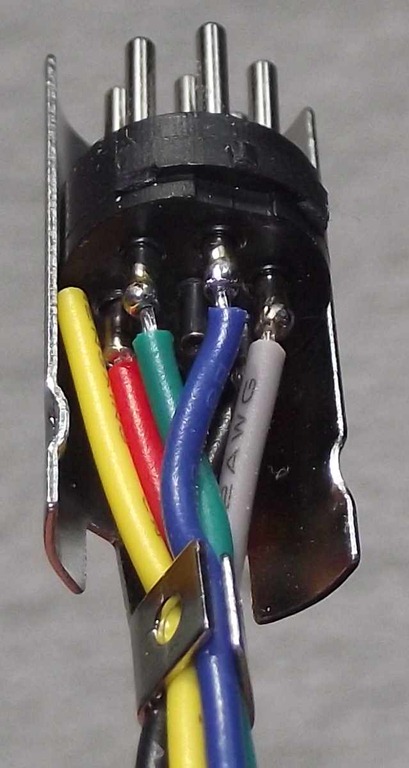
To connect the converter to the Amstrad CPC, you just have to connect each signal cable directly to the corresponding pin of the monitor connector of the CPC. Have a look at the pinout of the connector. I also added an image from my soldered connector, which might help you building your own connector.
| Pin No. | Signal Name | Description |
| 1 | R | Red analogue signal |
| 2 | G | Green analogue signal |
| 3 | B | Blue analogue signal |
| 4 | Sync | RGB switching control |
| 5 | GND | Common |
| 6 | Lum | Luminance |
 |
 |
Connection to the Amstrad Plus (464+, 6128+, GX4000):
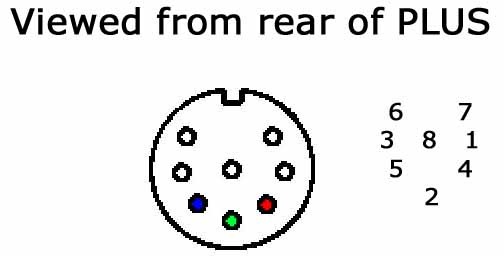
The connection to the Plus is nearly the same, but you have a new pinout, because the Plus monitor connector contains two additional pins for audio output.
| Pin No. | Signal Name | Description |
| 1 | Sync | RGB switching control |
| 2 | G | Green analogue signal |
| 3 | Lum | Luminance |
| 4 | R | Red analogue signal |
| 5 | B | Blue analogue signal |
| 6 | L | Left audio signal |
| 7 | R | Right audio signal |
| 8 | GND | Common |
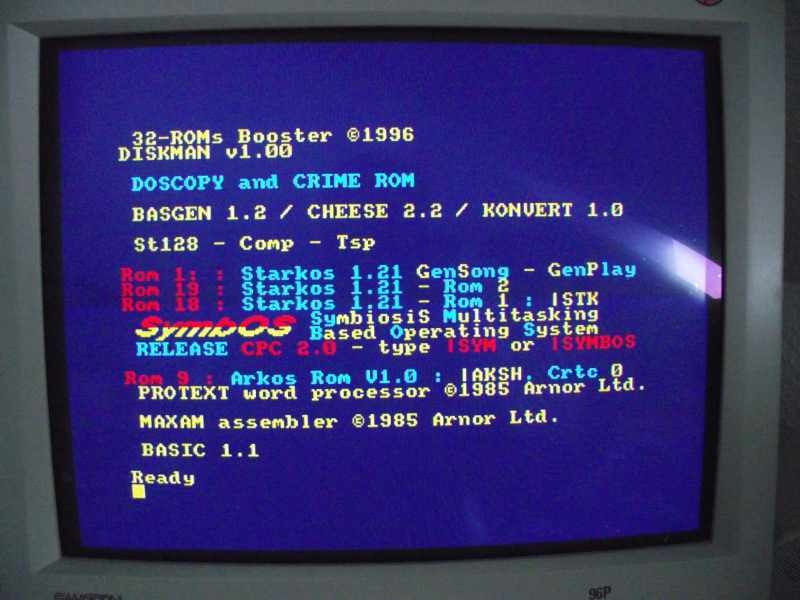
If you connected the wires correctly and switch on your CPC, you should see something similar to this image (I used a CRT in this test):
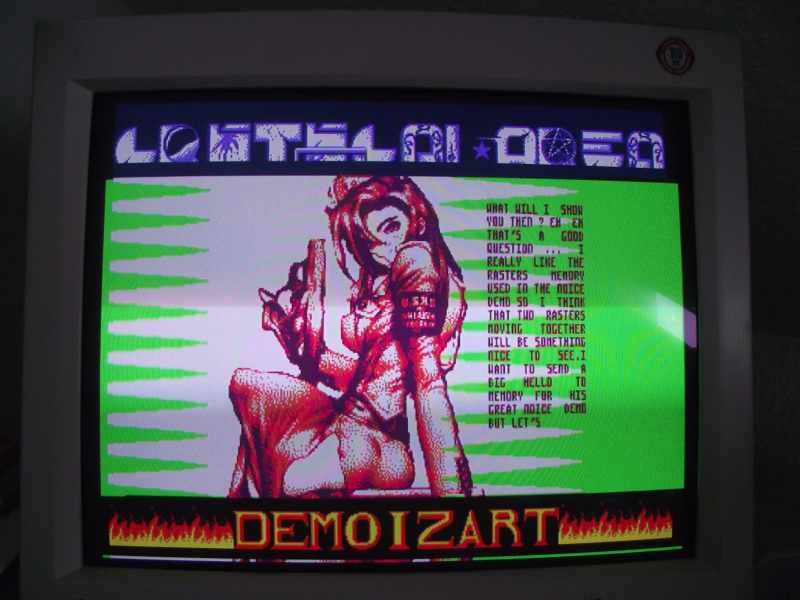
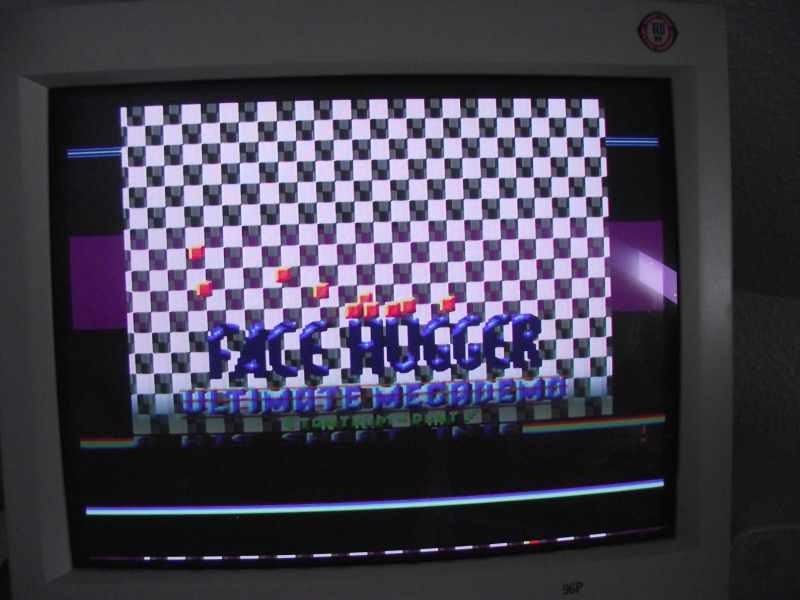
And here are some screenshots which I took with my digicam of several demos:

After all I really like this device and it seems to work in most cases and I would definitively buy it again :-)!
Does it work with demos using hardware screen distorsion (eg. Plasma Pas Cher, or Orion Prime introduction ?)
The coloured picture in Batman Forever is because there is a slight timing error. I suspect you will get that on most early demos using screen splitting techniques, and on some modern ones too. From Scratch has such a bug in one case, too.
Hi PulkoMandy,
thanks for your comment. I haven’t tested the intro sequence of OP yet, but I will do it this weekend and will write about by results here.
Ok, I tested the intro of OP and you are right: The screen distorsion is not working with this video converter, too. I am still happy with the output of the converter, because this happens only in very rare cases :).
hi,
i want to use the amstrad green screen with a vga output for a old school effect.
i have the 6 pin din but do
not know which pins to use on the vga for sync(choice), lum, ground(choice).
can you help?
cheers
Hi hz1138,
do you want to connect VGA output to CPC green screen input? If yes then I doubt that I can help you, but you can ask in the CPCWiki forums (link on the right side). If you want to connect a VGA screen to the CPC, then you see the pinout above. Just connect the pins directly with each other.
hi octoate,
yes i want to connect the gt85 screen to a vga output from a fileserver pc.
i don’t know which pins to match what on the vga pin out as there is nothing corresponding to LUM.
surley it should be the same as to connect a VGA screen to the CPC as the same pins mwill be used?!
but you do not say which vga pins you use for what…
cheers
Well, I don’t know how you can generate the sync signals, but I am really sure that your VGA port have to output 15kHz VSYNC. Sorry, I am afraid that I can’t help you with your problem.
Moin, Octoate!
Einmal richtig eingestellt, merkt der Konverter sich das dann oder muss man immer wieder ran an die Tasten?
Schönes Wochenende,
AMSi
Hi AMSi,
der Konverter merkt sich die Einstellung. Wäre sonst auch für mich blöd, da ich den mittlerweile so verbaut habe, dass ich an die Tasten nicht mehr ran komme :-).
CU Octo
I own a Roland S-550 Digital Sampler. Thought it has a RCA video output, it is black & white only. The CGA output is color. Yet, I can’t find a monitor with those standards today. So, do you think what you did above will work with my sampler? Here is a link to a pic with the schematic and specifications of the Digital RGB out put of my sampler. Thank you in advance!
Dante’
http://www.gearslutz.com/board/attachments/electronic-music-instruments-electronic-music-production/292797d1337502896-roland-s750-s550-s50-monitor-stuff-rgb_moni.gif
Hi Dante,
normally the horizontal sync is the problem, which needs to be solved, because modern displays no longer support 15kHz. In the link, you posted, it seems that your device runs with 15.756 kHz, so the CGA to VGA converter should work in your setup, too.
Thank you Octoate for finding nice hardware stuff to play with our CPCs 😉
https://www.facebook.com/photo.php?fbid=709964382358518&l=312950ff1f
@fano: I give my best :-).
you actually need to add a card between this chinese scaler and the amstrad output so that it create a real cga input and won’t have all the problems your describe. you can build on yourself or buy a kit : in magazine Everyday practical electronics from february 2016 they describe it (http://www.epemag.com/proj/0216.html) . they get the pcb card from this site who sell it already mounted and they use the same Scaler as yours: http://microbeetechnology.com.au/vga_video_converter.htm
For the record, I have an add-on to this converter that further improves the output by making it native 50Hz at the correct resolution (by default it outputs 60Hz video). This can improve compatibility in some cases.
Currently it needs extra hardware but I plan to write an alternate firmware for the built-in controller.
Sourcecode and some details here: https://github.com/pulkomandy/gembascan
I’ve received the 5.1 version of GBS converter and I’m having trouble with the sync. I have it connected to the S sync which I assume is composite. I get a breif 1 second display of picture showing the Amstrad main screen and then it reverts to no input signal. I assume it checks the sync to know if it has an input. Does anyone know what the sync level should be from the CPC464? I have the Amstrad green screen monitor and it is showing a nice locked picture but the GBS converter keeps dropping the input
By “S” sync, do you mean grey wire to CPC sync? This is correct. Do NOT connect yellow wire to anything.
I’ve done what’s documented here with the same hardware, but I notice that there’s always some wobble at the very top and bottom of the image (worse at the top). Do you observe that, and did you do anything to alleviate it?
My test for whether a device can handle what I want is the gameplay section of Prehistorik 2 (the Plus version) – every scaler seems to have issues, with this one not really being good enough to play it, but coming the closest. It seems the vertical refresh fluctuates during this game. On the OSSC, it just constantly changes modes and can’t get a lock; on an ODV GBS-C, when it can get a lock at all (which isn’t consistent, even just at the BASIC prompt) it shows what looks like an image with an incorrect stride during the gameplay sequence. This CGA/EGA converter board shows the game, but it jumps around and flickers a lot. Not really playable, but you can see what’s happening… Have you tried this game, and if so, did you have any more luck with it?
Is it reliable? I mean on this Sourcecode and some details here: https://github.com/pulkomandy/gembascan
Hi,
sorry, I haven’t tested it with Pulkomandys modification (yet). I am already happy with the out of the box configuration, so for me it is – currently – not necessary to install it. However, if demos are using heavy hardware tricks, it will be hard to convert it to a stable signal for this device.
Hi, sorry for laaaaaaaate reply (and comment approvement). The picture is stable and I do not see some kind of wobble on top or bottom of the image. If you have problems, you might try https://github.com/pulkomandy/gembascan (as Ethan mentioned in his latest comment). This modification should produce a more stable image on the Amstrad CPC.
We also used the OSSC and tried to record a demo from the CPC Plus on the Evoke in Cologne, but it was not capable to produce a stable output image, so we later were forced to use an emulator and record it from there. All scan converters have their problems…