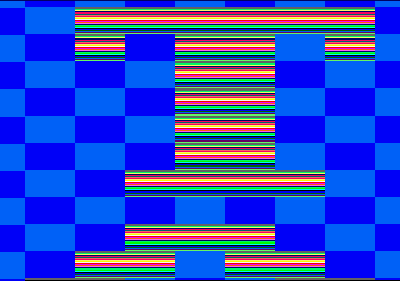
Matahari from turkey released his first demo for the CPC. It is a scroller in overscan which features 50 Hz hardware scroll, overscan, all 27 colours of the CPC and this all within 256 bytes. You can download it from Pouet.net and don’t forget to vote for it!
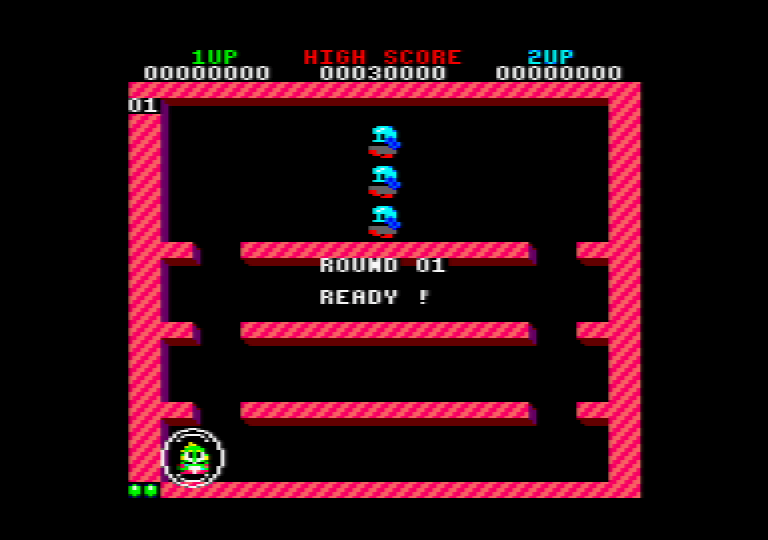
CNGSoft released his long awaited remake of the game Bubble Bobble. Finally, the CPC gets a version of this great, which it deserves. Compared to the original CPC port of Bubble Bobble, it features very colourful graphics, the intro sequence and bigger sprites. To sum it up: it is much closer to the original arcade version. Be sure to download and test it. You can get the game from CNGSofts homepage (click on the image).
Connecting a Bluetooth module to the CPC Booster+
I really love Antitecs [[CPC Booster|CPC Booster+]] and I also think, that this small hardware enhancement for the CPC is a pretty underestimated device, because it contains a still state of the art Atmel microcontroller and above all: it is a serial interface. Ok, normally you would say something like “Serial interface, nobody uses that anymore”, but then you are wrong. If you are working with microcontrollers, you will find many modules which can adapt modern technologies to an UART (Universal Asynchronous Receiver Transmitter).
When I talked to a colleague about his hardware project, he told me that Bluetooth defines a SPP mode (Serial Port Profile) and that you can use Bluetooth simply with an serial interface of your microcontroller. If such a module is connected to another device, it is completly transparent, which means, that it just behaves like a normal serial connection.
After thinking about it I decided to buy a such module and hook it up to the CPC Booster+ and found a seller in Hong Kong (“digital-account”, but there are many sellers who sell that kind of Bluetooth modules), who offers Bluetooth modules for around 10 EUR including postage and packaging.
The connection to the Booster is really simple, but there are two variants on how you can connect it to the CPC Booster.
Variant 1 (removing the SN75176):
This variant is the prefered one for connecting a Bluetooth module to the CPC Booster, because you won’t loose the possibility to use the RS232 port. However, you will loose the RS485 network connection. It was suggested by Antitec, the creator of the CPC Booster, in the comments below.
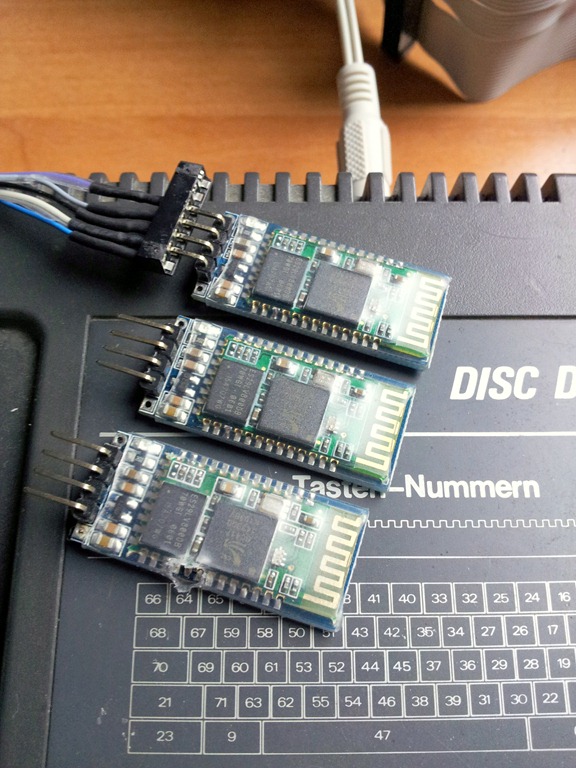
To connect the Bluetooth module to the CPC Booster, you have to remove (!!!) the SN75176 IC, which you can find under the RJ45 port on the CPC Booster. On the image below, you can see how to connect the cables:
Variant 2 (removing the MAX232):
This variation was published first on this page. It has the disadvantage that you will loose the RS232 functionality, so I would prefer variant 1 instead now.
You just have to remove(!!!) the MAX232 chip on the Booster, which is needed to do the voltage level shifting for RS232. When you removed it, you just connect the Bluetooth module directly to the empty IC socket (I used another IC socket on which I directly soldered the cables). On this image, you can see how to connect the cables:
When you switch on your CPC with the CPC Booster+ connected to it, you will see a blinking red LED, which shows that the module is working and if you search for new Bluetooth devices, you should find a new one.
To use the Bluetooth module transparently with the tools, which already exist (e.g. the cool Arkos tools), you have to set the module to 115.200bps, 8N1. I wrote a small BASIC program, to do that for you. It tries to autodetect the current serial interface speed, sets the correct transfer parameters and you can also define a new Bluetooth device name, which is shown by the module, when you search for it. If you use this program, be sure that the Bluetooth module is not connected to another device (red LED should be blinking).
100 'Automatische Bitratenerkennung eines Bluetooth Moduls
110 '(c)2011 Octoate
115 MODE 2
120 IF INP(&FF00)<>170 AND INP(&FF01)<>85 THEN PRINT"CPC Booster not detected."
125 PRINT"Trying to detect Bluetooth module bitrate."
130 'setup: 8n1, buffer
140 OUT &FF07,&6:OUT &FF0B,&16
150 FOR i=1 TO 8
154 OUT &FF1C,0:'reset buffer
155 READ value:READ bps:OUT &FF04,value
160 OUT &FF08,&41:OUT &FF08,&54:'send AT
170 FOR j=1 TO 2000:NEXT j:'just wait a bit
180 IF INP(&FF1C)=2 AND INP(&FF1D)=&4F AND INP(&FF1D)=&4B THEN 210
185 PRINT bps;:PRINT"bps...failed."
190 NEXT i
200 PRINT"Couldn't detect bps rate.":END
210 PRINT bps;:PRINT"bps detected."
220 PRINT "Select Bluetooth device name:";:INPUT a$
230 IF LEN(a$)=0 THEN 220
240 'send new name
250 send$="AT+NAME"+a$
260 length=LEN(send$):FOR i=1 TO length:OUT &FF08,ASC(MID$(send$,i,1)):NEXT i
266 response$="OKsetname":errmsg$="Set name failed.":GOSUB 500
270 send$="AT+BAUD8"
280 length=LEN(send$):FOR i=1 TO length:OUT &FF08,ASC(MID$(send$,i,1)):NEXT i
300 response$="OK115200":errmsg$="Baudrate configuration failed.":GOSUB 500
340 PRINT"Bluetooth device configuration successfull."
499 END
500 'check response
510 length=LEN(response$)
520 c=0:WHILE c<2000 AND INP(&FF1C)<length:c=c+1:WEND
530 IF INP(&FF1C)<>length THEN PRINT errmsg$:END
540 FOR i=1 TO length:IF CHR$(INP(&FF1D))<>MID$(response$,i,1) THEN PRINT errmsg$:END ELSE NEXT i
550 RETURN
1000 DATA 143,4800,71,9600,47,14400,35,19200,23,28800,17,38400,11,57600,5,115200
That’s all. You can now connect e.g. your PC with the CPC Booster (pair the Bluetooth device first) and use the serial device which gets available when you paired the devices correctly. By the way, if the seller of your Bluetooth module didn’t tell you the pairing password, you can try “0000” or “1234”. Mostly they use them as a default password.
The Bluetooth module is controlled via simple AT commands (you can see that in the source code above). In my case, the Bluetooth module contains the “linvor” firmware, which offers AT, AT+BAUD, AT+VERSION, AT+NAME and AT+PIN. You can read more about those commands in a great Blog entry by Byron76.
Did you ever think about having a Bluetooth connection to your CPC, e.g. to transfer your data or DSK images directly from or to it? Of course it is possible and it is very simple to realise that, plus: you can use all the tools, which already work with the CPC Booster+. I already use this setup for nearly a year and found the time time to document it. You can find the documentation in the articles section of this page.
The newest episode (#145) of the Bitjam Podcast again features over 40 min of great tunes from the Amstrad CPC. The tunes were, like in the previous CPC episode, mixed by Jegougou, the logo was created by H2O and the whole thing was compiled by Bobic and also Grim helped to create this episode of the Podcast. Don’t miss this episode and download it from the Bitfellas homepage.
Track list:
- Kangaroo Musique – ILoveDH
- Shap – Hot Girl part (Tip & Mantronix adaptation)
- Targhan – Big’o’Full’o’Demo
- BSC – Space Debris (Captain adaptation)
- BSC – Zap’tBalls – Intro
- Jason C Brooke – Mega Apocalypse
- Duffy – Overflow’s Hi Tech preview
- Targhan – Suprapok – DemoIzArt
- Wee – Terrofoc Demo
- Crown – Prodratron Demo
- BSC – Prodratron Demo
- BSC – Digital Orgasm
- Shap – Byte98
- EA of Antares – Devotion Part II
- Zoom – Defloration
Total playtime: 42:26min.